
When should you scan a barcode?
Use a barcode when you are holding a can, box or another item with a readable product code. The barcode gives PantryPrix a product to look up. Check that the returned name and package information match your item; a missing catalog entry may need a manual correction.
When is a receipt the better choice?
Use a receipt when you have just brought home several groceries. Lay the receipt flat and capture legible text. Receipt descriptions can be abbreviated, and receipts can include non-food purchases. Review the extracted list before adding the items to your pantry.
When does a shelf photo make sense?
Use a photo when you want a starting list from a cupboard or shelf. Make the items visible rather than hidden behind other packages. The result is a suggested item list you can edit, not a guaranteed count of everything in the image.
What should you check before saving?
Before saving scanned groceries, look at the item names, amounts and units. Remove duplicates and anything that does not belong. A receipt quantity may be the number of packages, while the amount you cook with is measured differently. Save after the list reflects what you actually have.
Can you mix the methods?
A shelf photo can start the list, a receipt can add the next shopping trip, and a barcode can fill in one missing package. Barcode, receipt and photo capture are available in the iPhone and Android apps. Recognition varies with the item and image, so keep the review step in your routine.
Can you add groceries without scanning?
Yes, PantryPrix works without scanning. You can always type an item in by hand. Paid plans also include Add by Voice: tap the add button in your pantry, choose Add by Voice and say what you bought, for example “a dozen eggs, a gallon of milk and two cans of black beans.” PantryPrix turns what you said into a list you review before saving, the same way PantryPrix handles a receipt or a photo.
What if a scan gets something wrong?
Fix a wrong scan in the PantryPrix review list before you save. Rename the item, change the amount or unit, or delete the line. A barcode that is not found can be added by hand. On receipts, shortened store names cause most mix-ups, so read the shortened lines first. In photos, anything partly hidden may be missed or miscounted. Pull the hidden item forward and take another photo if the item matters.
Which method is fastest for a big grocery run?
A receipt scan is fastest for a big grocery run, because one capture covers the whole trip. Scan the receipt soon after you unpack, while you still remember what each shortened line means and before the paper gets crumpled. Loose produce weighed at the checkout sometimes prints under a short code or name, so give the produce lines a quick read. Anything the receipt misses can be added with a barcode or by hand afterwards.
Does the receipt need to be perfect?
No, a receipt does not need to be perfect, but the text needs to be readable. Flatten the folds, keep shadows off the text and fit the whole list of items in one image when you can. Faded thermal paper is harder to read, so scan receipts on the day you shop. If part of a long receipt will not read, add the missing items by hand instead of scanning the receipt again and again.
Does scanning cost anything?
No, scanning in PantryPrix costs nothing. Barcode, receipt and photo scanning are unlimited on every plan, including Free. Add by Voice is part of the paid plans.
Where do scanned items end up?
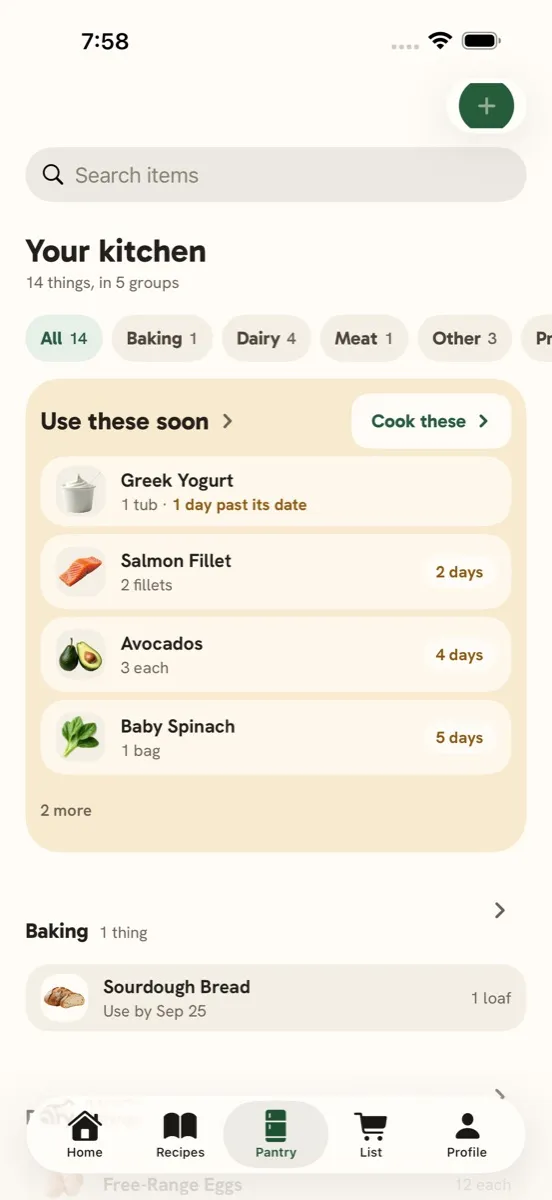
Scanned items end up in your PantryPrix pantry list, grouped by category, with the amount and unit you confirmed in the review step. PantryPrix suggests an expiration date for fresh items based on the kind of food, and you can change or clear the suggested date. From there the items count toward recipe suggestions and the use-soon list. Items you check off your shopping list are added the same way.
Is it worth scanning a small top-up shop?
Scanning a small top-up shop is worthwhile when the items change what you can cook, and not always otherwise. A carton of milk or a bag of spinach is worth adding, because either one opens up new recipes. A replacement bottle of oil or a spice already on the list only needs the amount updated. For a quick trip, a barcode or two, or saying the items with Add by Voice on a paid plan, is often faster than a receipt.
Can more than one person scan into the same pantry?
Yes, more than one person can scan into the same PantryPrix pantry with family sharing on the Executive plan, for up to five people. Everyone adds to the same pantry, so a receipt scanned by whoever did the shopping updates the list for the whole household, and a barcode scanned by someone else shows up for everyone. One person’s check-offs on the shopping list also move items into the shared pantry.
Sources & review
Sources PantryPrix checked while writing the guide.
- GS1 US: What Is a Barcode?
GS1 US explains that each UPC barcode is assigned to a company and one specific product, which is why a scan can name the package in your hand. Accessed 2026-09-29.
- Open Food Facts: Open Food Facts
Open Food Facts is a free, volunteer-built database of more than 4 million food products from 150 countries. PantryPrix looks barcodes up in Open Food Facts first. Accessed 2026-09-29.
- USDA: FoodData Central
USDA FoodData Central includes a database of branded food products. PantryPrix checks FoodData Central when Open Food Facts has no match for a barcode. Accessed 2026-09-29.